Overview
Understand and convert common digital storage units including bytes, KB, MB, GB and TB.
Objective
Use the correct measurements, units and method to produce an accurate, clearly labelled result.
What You Need
- A storage value
- Starting and target units
- Knowledge of decimal or binary convention
Before You Start
Write down the value or dimensions you have, including their units. Decide exactly what unit or result you need before calculating. Keeping the units visible makes errors much easier to spot.
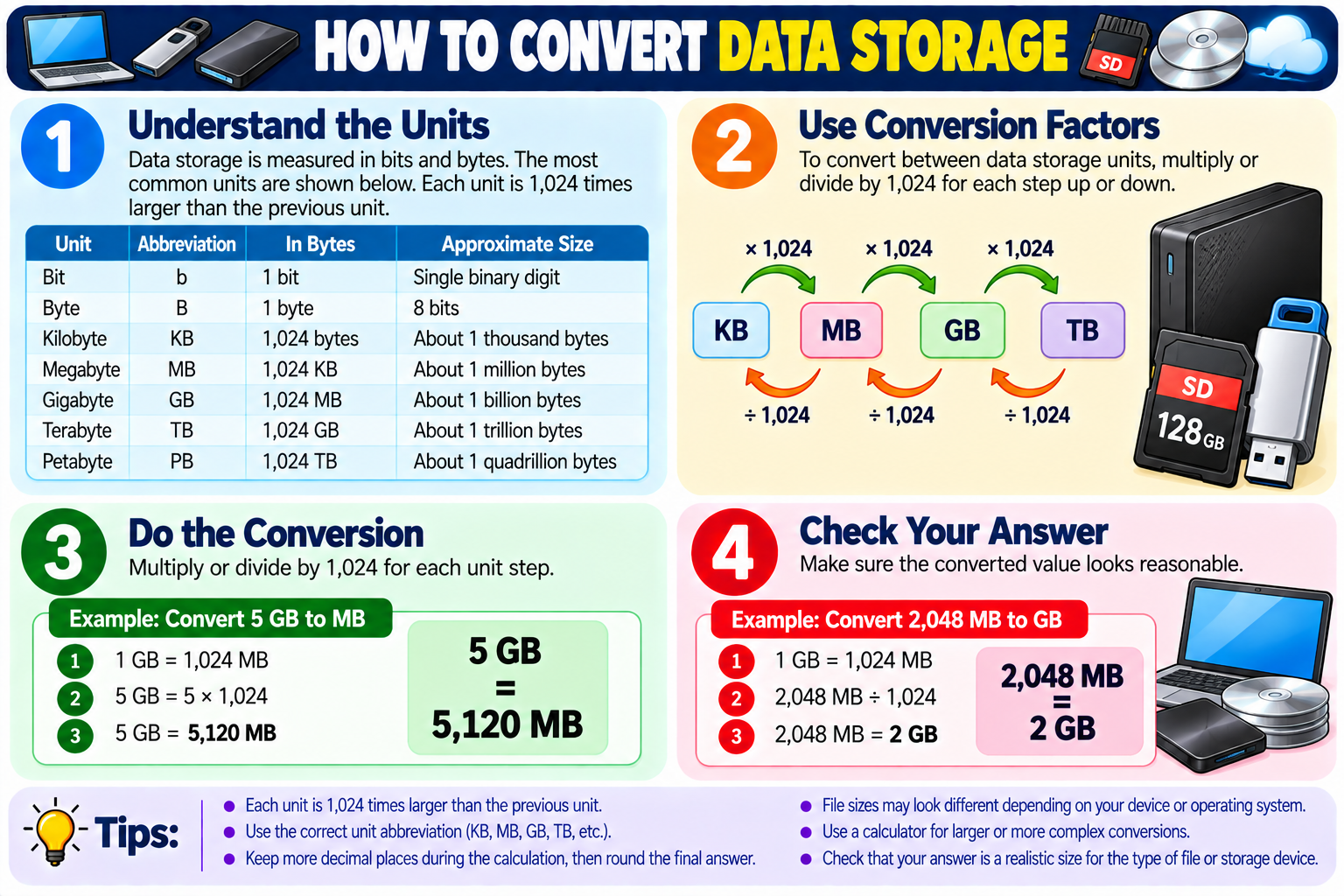
How to Do It
- Identify the storage units.
- Check whether the context uses decimal units or binary-style values.
- Choose the correct factor.
- Multiply or divide through the unit steps.
- Label the result.
Worked Example
Using decimal storage, 2 GB = 2000 MB because 1 GB = 1000 MB.
Useful Tips
- Drive manufacturers commonly use decimal units.
- Operating systems may display storage differently.
- Bits and bytes are different: 8 bits = 1 byte.
Common Mistakes
- Confusing bits with bytes.
- Assuming 1000 and 1024 conventions are always interchangeable.
- Dropping the unit prefix.
Important Notes
Conversion factors and measurement standards can vary by country or context. When accuracy matters, confirm the standard being used and keep enough decimal places until the final answer.
FAQ
When should I round the answer?
Keep the full value during the calculation and round at the end to a level of precision suitable for the task.
Why should I always write the units?
The unit tells you what the number represents and helps reveal mistakes when converting or calculating.